
What It Is, How It Works, and How to Use It the Right Way
You paste a prompt into an AI writer, and thirty seconds later you have a clean, well-structured article. It looks fine at first. Then you read it out loud, and something feels off.
Every sentence has the same length. Each paragraph opens with a polite little transition. The text says a lot but tells you almost nothing.
That flat, robotic feel is why people search for an AI humanizer. Bloggers want posts that sound like a real person wrote them. Others worry about AI detectors. Many just want to stop sounding like a brochure.
An AI humanizer is a tool that rewrites AI-generated text so it reads more naturally. This guide explains how it works, where it falls short, and the simple editing habits that make AI-assisted writing better, with or without a tool.
Last updated: October 2026 | Reading time: about 9 minutes
What Is an AI Humanizer?
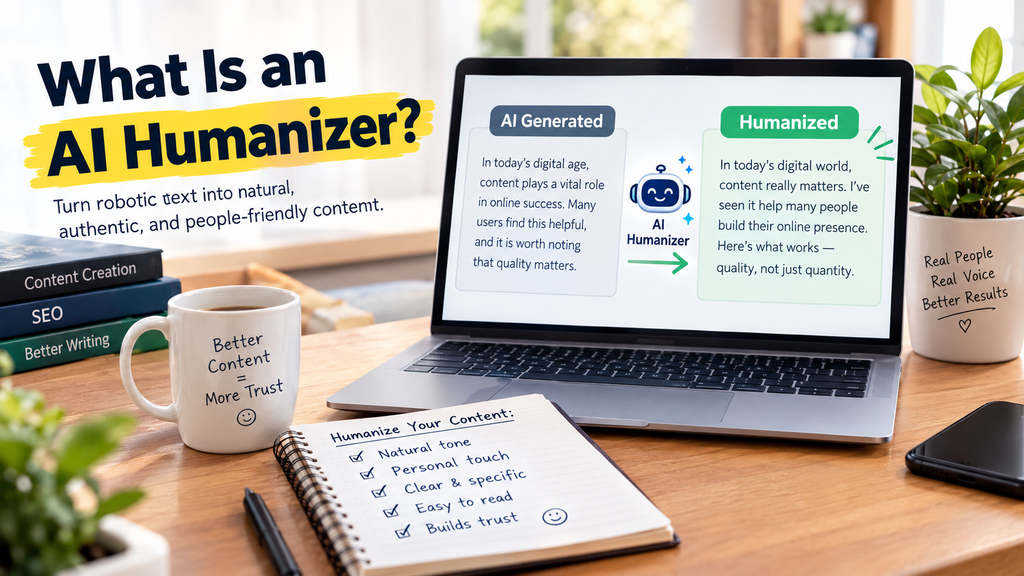
An AI humanizer is a tool that rewrites AI-generated text so it sounds more natural, varied, and conversational, closer to how a real person writes. It usually changes sentence structure, word choice, rhythm, and tone. Some people also use it hoping to avoid AI detectors, but no humanizer can guarantee that, and good editing matters more than any tool.
Key Takeaways
- A humanizer improves style, but it cannot add real experience, facts, or opinions. Those come from you.
- Results against AI detectors are inconsistent, and detectors themselves make mistakes.
- Google does not ban AI-assisted content. It cares whether the page is helpful, original, and made for people.
- The best “humanizer” is a short human edit: add your own examples, vary your rhythm, and fact-check.
- Never use a humanizer to pass off work where AI use is not allowed, like school or certain jobs.
Why Does AI Writing Sound Robotic?
Before fixing the problem, it helps to know what causes it. AI models predict the most likely next word. That makes their writing smooth but also predictable. Here are the patterns that give it away:
- Uniform sentences. Many sentences land at similar lengths, so the text has no rhythm.
- Safe, generic claims. “Technology is changing the world” sounds fine and says nothing.
- Stock transitions. Phrases like “In today’s fast-paced world” or “It is important to note” show up again and again.
- Over-balanced structure. Every point gets exactly three bullets and a neat summary.
- No stance and no story. There is no “I tried this and it failed,” no opinion, and no real example.
Humans write unevenly. We interrupt ourselves. We use a short sentence for emphasis. We get specific. A humanizer tries to imitate some of that unevenness.
How Does an AI Humanizer Work?
Most humanizers follow a mix of these methods:
- Paraphrasing: They swap words and phrases for alternatives with similar meaning.
- Sentence restructuring: They merge short sentences, split long ones, and reorder clauses.
- Rhythm variation: They try to mix short and long sentences so the text feels less uniform.
- Tone adjustment: Many offer modes like casual, academic, or marketing.
- Neural rewriting: More advanced tools use a language model to rewrite the whole passage rather than swapping words.
The weaker tools just run a thesaurus over your text. That is where you get strange, awkward phrasing that reads worse than the original. Researchers who study detectors have a name for these clumsy substitutions: “tortured phrases.” If your humanized text sounds odd, your readers will notice, even if a detector does not.
Do AI Humanizers Really Beat AI Detectors?
This is the question behind most searches, so let’s answer it honestly. The short version: sometimes, but not reliably. Here is what the evidence suggests.
What the Evidence Shows
- Vendor claims and independent tests don’t match. Detector companies often advertise accuracy in the high 90s. Independent tests usually show lower, more varied results, and those numbers shift whenever tools retrain or new AI models appear.
- Humanizers often lower detection rates, but not always. Some studies report noticeable drops once text is humanized. Other tests find that certain detectors still catch a good portion of it.
- Detectors disagree with each other. Run the same text through two tools and you can get very different scores.
- False positives are a real problem. Genuine human writing sometimes gets flagged as AI. Formal, technical, and non-native English writing is hit hardest, because a statistical model can read those styles as “predictable.”
- Some institutions have stepped back. A number of universities have discouraged or switched off AI detectors over these reliability concerns.
Watch Out for Scam Detectors
Fact-checkers have reported “detectors” that label almost any text as AI, then push you to pay for a “humanizer” to fix the score. If a free checker says your clearly human writing is 90% AI, be skeptical and test it on a second tool.
The Practical Takeaway
No score is final proof of anything. Treat detectors as a rough signal, not a verdict, and focus on what readers actually notice: a real voice, specific examples, and varied sentence rhythm.
Agar aap chahein to agla section bhi paste kar dein, main usay isi tarah theek kar dunga.
Does Google Penalize AI-Generated or Humanized Content?
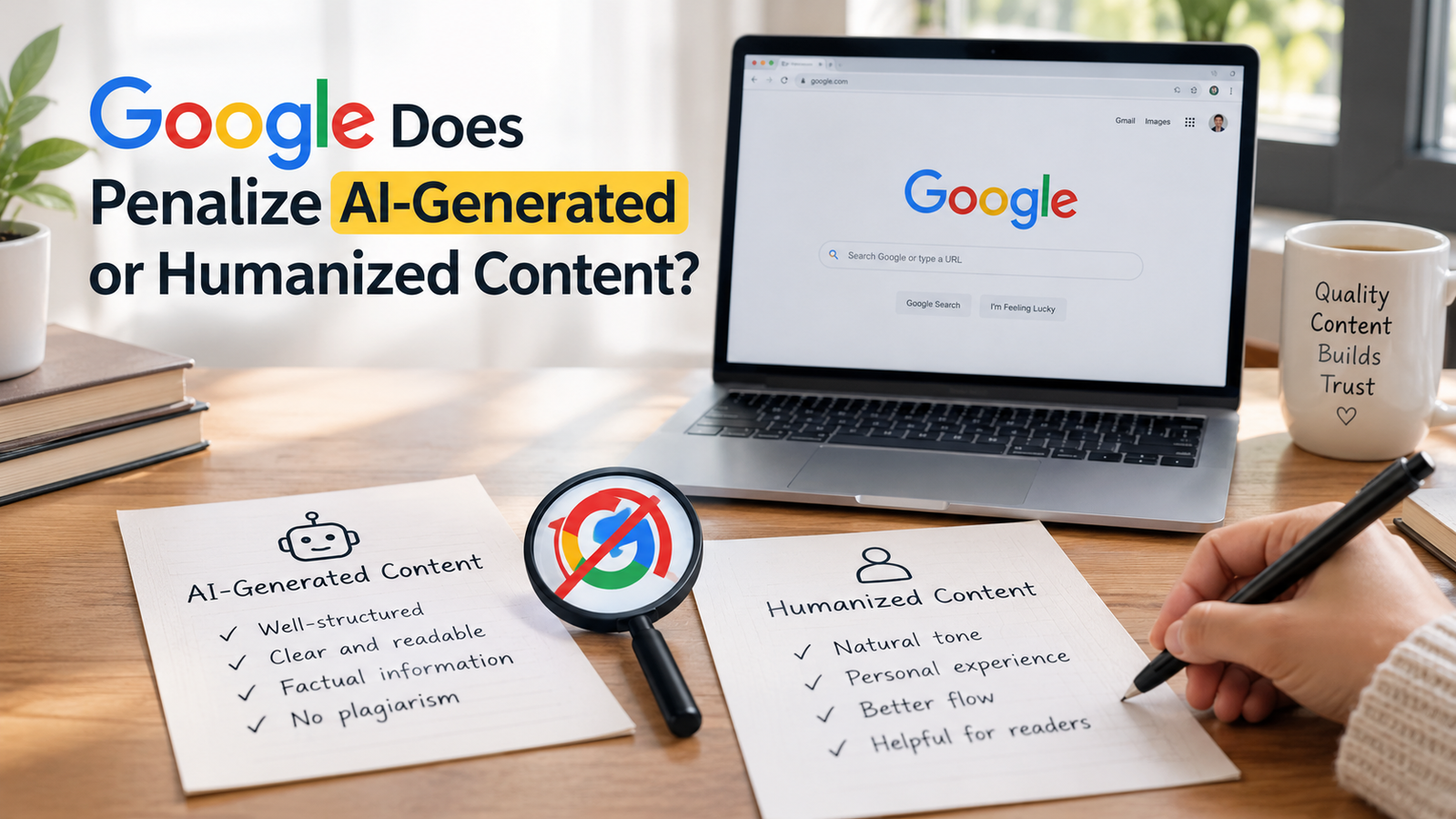
This is one of the most important questions for bloggers and website owners who use AI to create content.
The good news is that Google does not automatically penalize AI-generated content. Instead, it focuses on whether your content is helpful, accurate, original, and useful to readers. The main goal is to provide real value rather than publish articles just to rank higher in search results.
However, there is a risk when website owners publish large amounts of low-quality content without adding anything useful. Google calls this practice scaled content abuse. It can involve content created by AI, humans, or both when the main purpose is to manipulate search rankings.
So, what does this mean for your website?
- AI humanizers cannot fix poor content: Changing the wording does not make an article helpful or accurate.
- Quality matters more than quantity: Publishing many similar AI-generated articles with only minor edits can put your website at risk.
- Add your own experience: Share useful examples, test AI tools yourself, and explain what works best for your readers.
- Check every article before publishing: Review facts, links, headings, and meta descriptions to make sure everything is correct.
For a growing website, it is better to publish fewer, high-quality articles than hundreds of posts with little original value. In addition, clear explanations, practical advice, and genuine examples can help readers trust your content.
Ultimately, Google is not simply asking, “Did a human write this article?” Instead, the more important question is, “Does this content genuinely help the reader?”
The best approach is to use AI as a writing assistant, add your own knowledge, and publish content that solves real problems.
AI Humanizer vs Paraphraser vs Manual Editing
These three get mixed up all the time. Here is the difference:
| Feature | AI Humanizer | Paraphraser | Manual Human Edit |
|---|---|---|---|
| Main goal | Make AI text sound natural. | Reword the text to avoid repeating the original. | Make text accurate, specific, and personal. |
| Speed | Fast | Fast | Slower |
| Adds real experience? | No | No | Yes |
| Fixes factual errors? | No | No | Yes |
| Risk of awkward phrasing | Medium | Medium | Low |
| Best for | A quick style polish | Simplifying or rewording | Final quality and trust |
The takeaway: tools handle style. Only you can handle substance.
How to Choose a Good AI Humanizer
If you decide to use an AI humanizer, don’t choose based on the loudest promise. Check these seven things first.
- Meaning stays intact: Does the tool keep your facts, numbers, and keywords, or does it distort them?
- Readability: Read the output aloud. If it sounds strange, it is strange.
- Tone control: Look for options such as casual, professional, or simple language.
- Honest claims: Be cautious about guarantees like “100% undetectable. “No tool can promise that.
- Privacy: Find out what happens to the text you paste in, especially for client or confidential work.
- Fair pricing: Test the free version first, and read the refund terms before you pay.
- Language support: If you write in more than one language, test each one separately.
A good humanizer should help you edit faster, not replace your judgment. Always read the final text yourself before you publish it.
The 7-Step Human Edit: A Better Way to “Humanize” AI Text
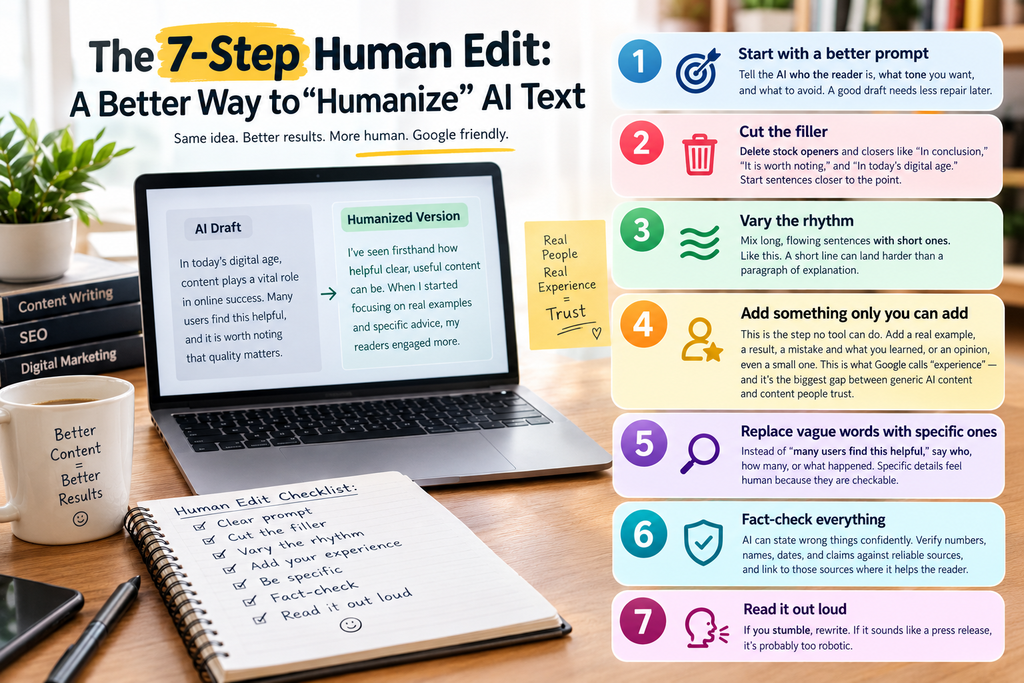
Here is the workflow that makes the biggest difference. You can do it with or without a humanizer tool.
Step 1: Start with a better prompt
Tell the AI who the reader is, what tone you want, and what to avoid. A good draft needs less repair later.
Step 2: Cut the filler
Delete stock openers and closers like “In conclusion,” “It is worth noting,” and “In today’s digital age.” Start sentences closer to the point.
Step 3: Vary the rhythm
Mix long, flowing sentences with short ones. Like this. A short line can land harder than a paragraph of explanation.
Step 4: Add something only you can add
This is the step no tool can do. Add:
- a real example from your work
- a result from something you tested
- a mistake you made and what you learned
- an opinion, even a small one
This is what Google’s quality guidelines call experience, and it is the biggest gap between generic AI content and content people trust.
Step 5: Replace vague words with specific ones
Instead of “many users find this helpful,” say who, how many, or what happened. Specific details feel human because they are checkable.
Step 6: Fact-check everything
AI can state wrong things confidently. Verify numbers, names, dates, and claims against reliable sources, and link to those sources where it helps the reader.
Step 7: Read it out loud
If you stumble, rewrite. If it sounds like a press release, loosen it up. Your ear catches what detectors never will.
A Quick Before-and-After Example
Before: Typical AI Output
“Time management is an essential skill for professionals in today’s busy world. By using different strategies, people can improve their productivity and achieve their goals.”
After: More Human and Personal
“Every morning, I started with a to-do list of fifteen tasks. By evening, only three were crossed off. I assumed I needed a better app or a smarter planning system. What actually helped was choosing one task I truly wanted to finish that day.”
What Makes the Difference?
The second version feels more personal because it has a specific number, a relatable problem, and a simple lesson. Instead of general advice, it lets readers picture a real situation.
Add Your Own Voice
An AI humanizer can make sentences sound smoother, but it cannot supply your genuine experiences or insights. That is where your own voice matters. Add examples from your life, share what you learned, and explain what actually worked for you. Your content will feel more authentic and give readers more value.
“Time management is an essential skill for professionals in today’s busy world. By using different strategies, people can improve their productivity and achieve their goals.”
Is Using an AI Humanizer Cheating?
It depends on where and why you use it.
Generally fine:
- Polishing your own blog posts, emails, or product descriptions
- Making a stiff AI draft more readable
- Simplifying complex wording for your audience
Not fine:
- Passing off AI work as your own in school, exams, or jobs where AI use is banned or must be disclosed
- Using a humanizer specifically to hide AI use from someone who has a right to know
The tool is neutral. The honesty is on you. If a school, employer, or platform has an AI policy, follow it. And if readers would reasonably want to know how a piece was made, a short disclosure builds trust rather than hurting it.
Common Mistakes to Avoid
Most problems come from rushing. Watch out for these six mistakes.
- Publishing without reading: Awkward phrasing and changed meanings can slip through, so always read the output before it goes live.
- Trusting one detector score: Detectors disagree and make mistakes, so a single number proves very little.
- Mass-producing posts: Large volumes of low-value content are exactly what Google’s spam policies target.
- Stuffing keywords: Humanizers can break or repeat your keywords. Keep them natural.
- Skipping fact-checks: A smoother sentence is not a truer sentence.
- Forgetting the reader: Write to help a person, not to beat a score.
Frequently Asked Questions About AI Humanizers
An AI humanizer is a tool that rewrites machine-generated text so it reads more naturally, with more varied sentences, simpler wording, and a more conversational tone.
Not reliably. Results depend on the humanizer, the detector, the text length, and the writing style. Detectors also disagree with each other and can flag real human writing, so no tool can honestly promise 100% undetectable text.
Google does not penalize content just because AI was involved. It focuses on whether content is helpful, original, and made for people. Mass-producing low-value pages to manipulate rankings can violate its spam policies, regardless of how the text was written.
They are generally safe for polishing your own content, but check the privacy policy before pasting sensitive material. Also avoid using them to hide AI use where disclosure or a ban applies.
A paraphraser rewords text to say the same thing differently. A humanizer specifically aims to make AI-sounding text feel more natural and varied. Neither adds real experience or checks facts.
Yes. A free humanizer can help, but the free method that works best is manual: cut filler, vary sentence length, add your own examples, and read it aloud.
Use a clear prompt, remove generic phrases, add personal experience and specific details, vary your sentence rhythm, fact-check, and read the final draft out loud.
Only if your institution allows AI assistance. Many schools have strict rules, so check your policy first. Using a humanizer to hide prohibited AI use is a bad idea ethically and can have serious consequences.
Final Thoughts
An AI humanizer can be a handy shortcut for smoothing out stiff, repetitive text. Still, it is a polishing tool, not a magic switch. It cannot give your writing experience, accuracy, or a point of view, and those are exactly what readers and search engines reward.
If you remember one thing, remember this: use AI to get started, use a humanizer if it helps, and use your own judgment to finish. Add the story only you can tell. Check your facts. Read the draft out loud. Do that, and your writing will sound human because a human shaped it.
Have you tried an AI humanizer? Tell us in the comments what worked and what didn’t. And if you know someone struggling with robotic-sounding drafts, share this guide with them.
About the Author
Aisha Qureshi is an SEO blog writer and website maker. She writes search-friendly, reader-first content and builds websites with the on-page and off-page SEO that a site actually needs, without overdoing it. At AI Power in Life, she shares practical, easy-to-follow guides on AI tools and AI writing so readers can save time and work smarter.
Disclaimer:
Tool features, pricing, and detector performance change often. Test any tool yourself before relying on it, and follow the AI-use rules of your school, workplace, or platform.
Sources and Further Reading
- Google Search Central: Google Search’s guidance on generative AI content on your website
- Google Search Central: Spam policies for Google web search (scaled content abuse section)
- Google Search Quality Rater Guidelines (sections on scaled content abuse and low-effort content)
- AFP fact-check: Dubious AI detectors drive “pay-to-humanize” scam (February 2026)